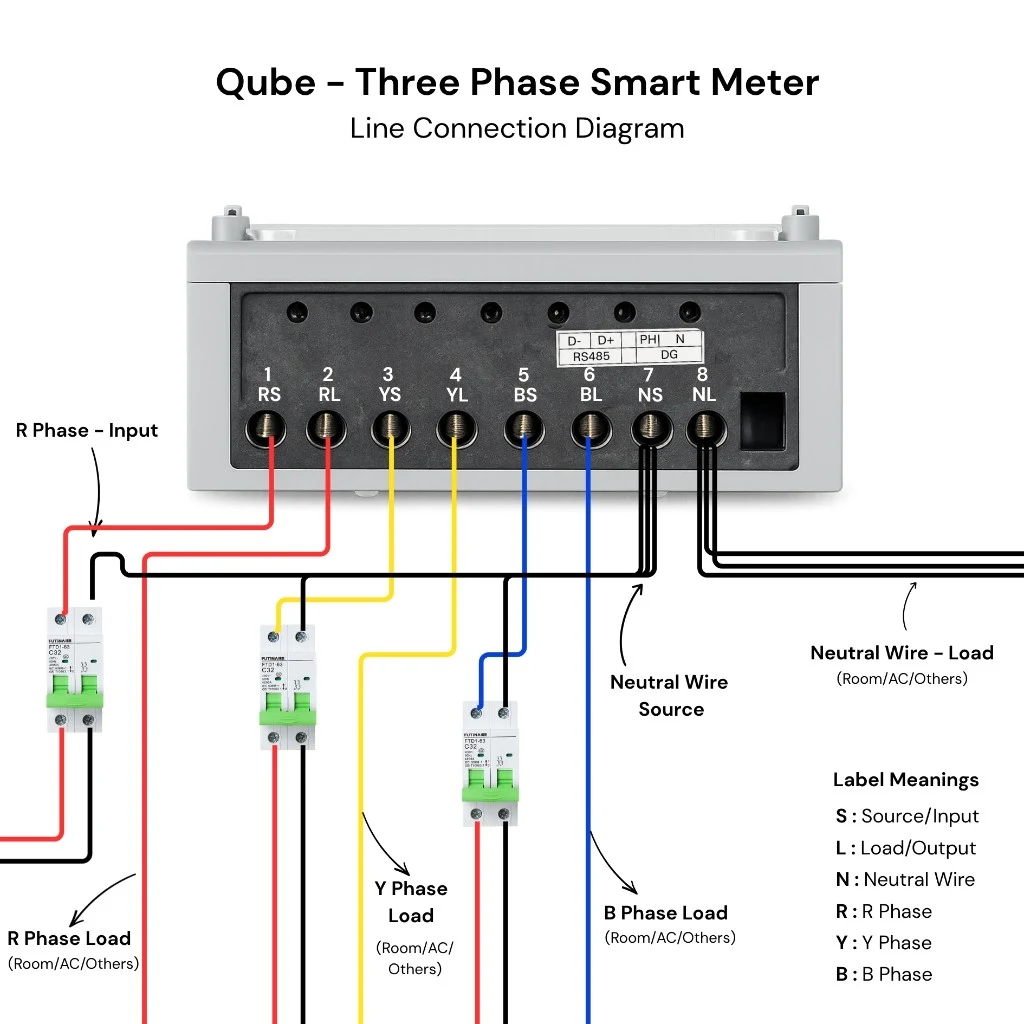
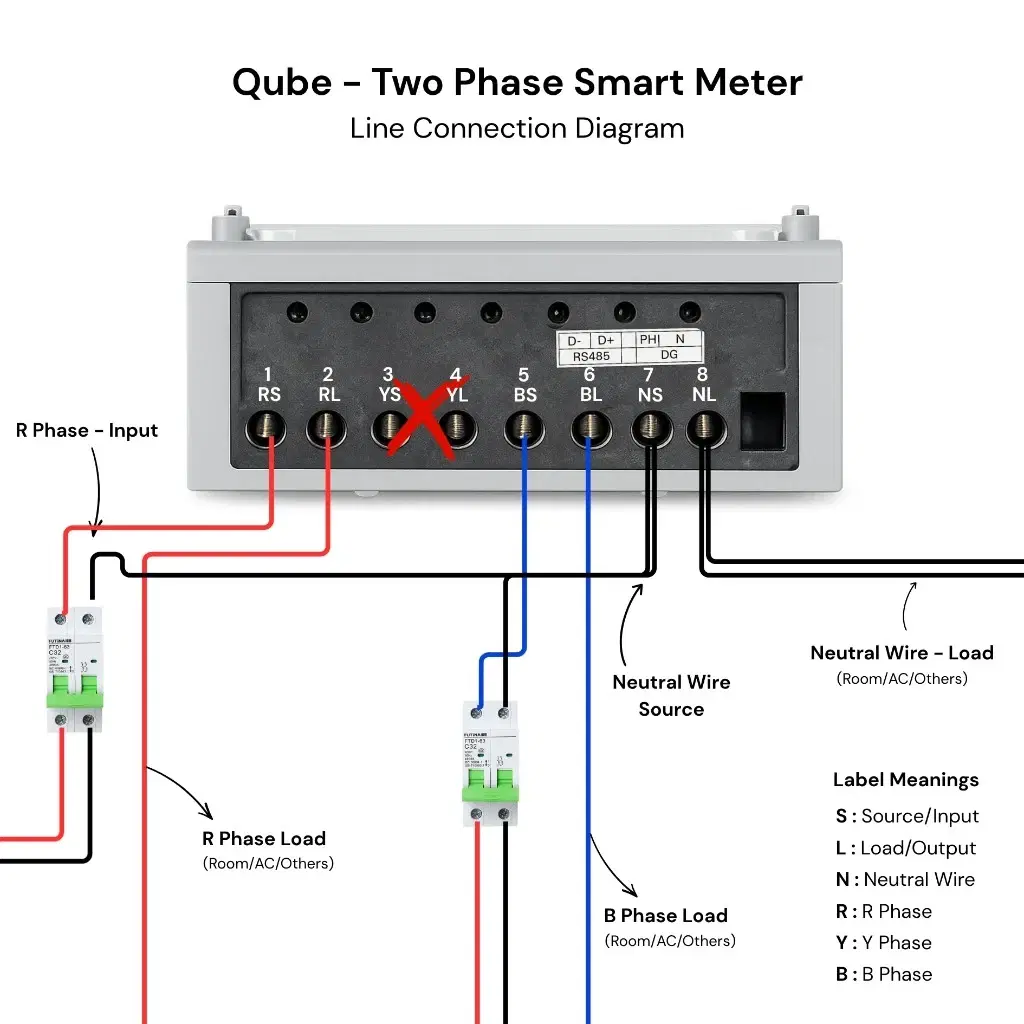
Use this guide when the Qube meter sees R and B only. The line diagram crosses out the yellow terminals. A shop, a floor, or a room pair on two phases follows this drawing. A supply that also has Y follows the three-phase guide instead.
The same terminals are on the interactive wiring guide.
Before anyone opens the cover
Switch off both phases and the neutral at the distribution box. Test R, B, and neutral and confirm they are dead. Two live phases are easy to miss if you only test one colour.
S on a terminal mark means source, the input from the MCB. L means load, the output. N is neutral. R is red. B is blue. Y is yellow, and on this install it stays unused.
Terminals
| Mark | What lands there |
|---|---|
| RS | R source, from the R MCB. |
| RL | R load, toward that circuit. |
| YS | Empty. Crossed out on the diagram. |
| YL | Empty. Crossed out on the diagram. |
| BS | B source, from the B MCB. |
| BL | B load, toward that circuit. |
| NS | Neutral source. Incoming neutrals join here. |
| NL | Neutral load, out to the rooms or other circuits. |
The small block marked D-, D+, PHI, N, and DG is not part of this power landing. Leave it until the site has a real DG sense or RS485 run.
R phase
R phase and a neutral enter a 2-pole MCB. R leaves that MCB into RS. RL is the red load toward the room, AC, or other circuit on R.
B phase
B phase and a neutral enter a second 2-pole MCB. B leaves that MCB into BS. BL is the blue load. On the diagram this conductor is blue, even where the MCB input is drawn in red as the live entering the breaker.
Neutral
Join the incoming neutrals at NS, labelled Neutral Wire Source. NL, labelled Neutral Wire Load, continues with the loads to the room, the AC, or the other circuits on this meter.
R and B still need their own neutral path through each MCB. Do not skip the neutral pole because the phases already have a colour.
The terminals you do not use
YS and YL are terminals 3 and 4. The diagram puts a cross through them. No conductor goes there. Do not park a spare wire under those screws.
After the cover is on
Restore the supply. The display should light. Pair WiFi from the Qube app and confirm the meter is online on the dashboard. If one phase reads and the other does not, switch off again and check that phase's source and load only. Do not move a wire onto Y to "complete" the meter.
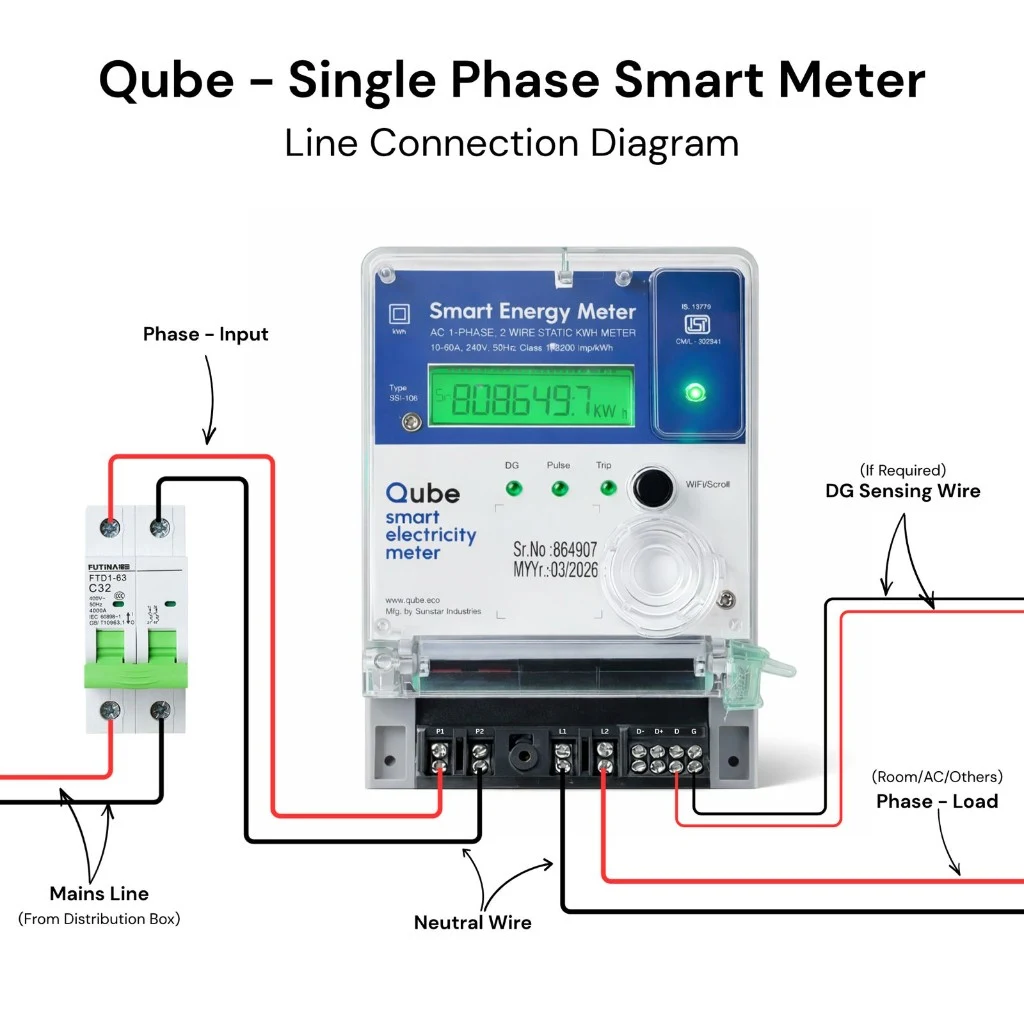
One circuit on one phase belongs on the single phase installation guide. R, Y, and B together belong on the three phase installation guide.